SSA UI Kit: July Update
SSA UI kit continues to evolve with a focus on solving real product challenges—not only by expanding the component library, but also by improving developer experience.
Modern HR systems manage much more than employee records.
They bring together skills, experience, roles, projects, certifications, performance data, and other information that changes throughout the employee lifecycle.
The challenge is not simply to display all this data. The interface needs to help users find the right people, understand their competencies, follow important changes, and see the bigger picture across the organization.
These are the kinds of challenges we address in SSA PeopleOps Suite, our HR management system built on top of SSA UI kit. PeopleOps modules share a consistent interface while supporting different HR workflows across the product.
Let’s take a closer look at how this works in practice, from employee search and competency management to employee history and analytics.
Finding an employee by name is easy. Finding the right specialist for a particular role or project is a different task.
HR teams may need to work with multiple criteria at once, combining skills and proficiency levels with experience, seniority, position, location, certifications, languages, and other employee data.
SSA UI kit provides a Form Builder for creating configurable forms that combine different input, search, and filtering controls within a single interface.
In SSA PeopleOps Suite, Form Builder is used in the People Search module, where different search and filtering controls, including dropdowns, are combined into a single search panel. Users can apply multiple employee criteria to find specialists who match specific requirements.
The video below shows how this search workflow works in the product:
Finding a relevant employee is only part of the task. The next step is understanding their competencies.
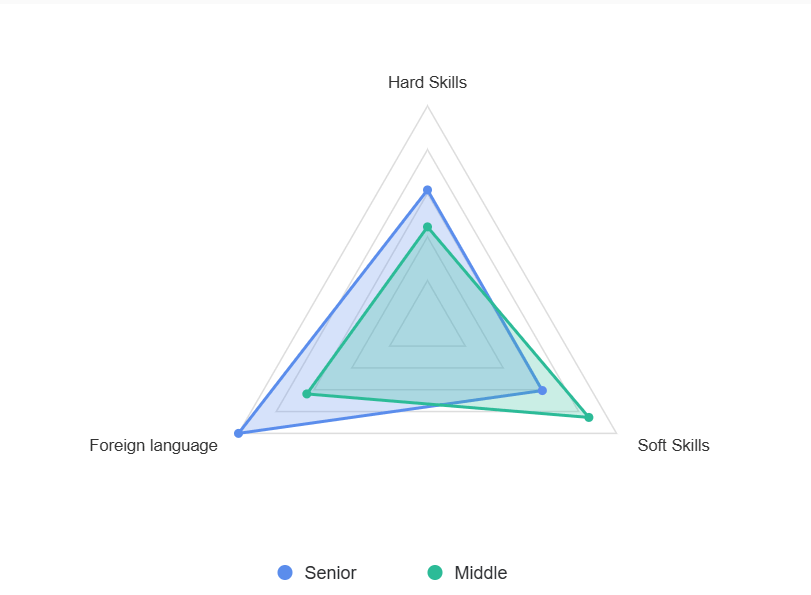
Skills are multidimensional. A profile may include technical expertise, soft skills, language proficiency, and other role-specific competencies. When these values are presented only as a list, it can be difficult to understand the overall profile or compare several competency areas at once.
The Radar Chart component in SSA UI kit provides a visual way to represent multiple competency dimensions within a single view.
Each axis can represent a different skill area, making strengths and gaps across an employee’s competency profile easier to see at a glance.
Radar Chart is used in SSA PeopleOps Suite to visualize employee competencies and make skill profiles easier to understand and compare.
For example, it can help users compare competency levels across hard skills, soft skills, and language proficiency, providing a more complete view than individual values alone.
An employee’s current profile tells only part of the story.
A role, status, project, certification, or work schedule may change several times during a person’s time with the company. In many HR scenarios, understanding that sequence of changes is just as important as seeing the current state.
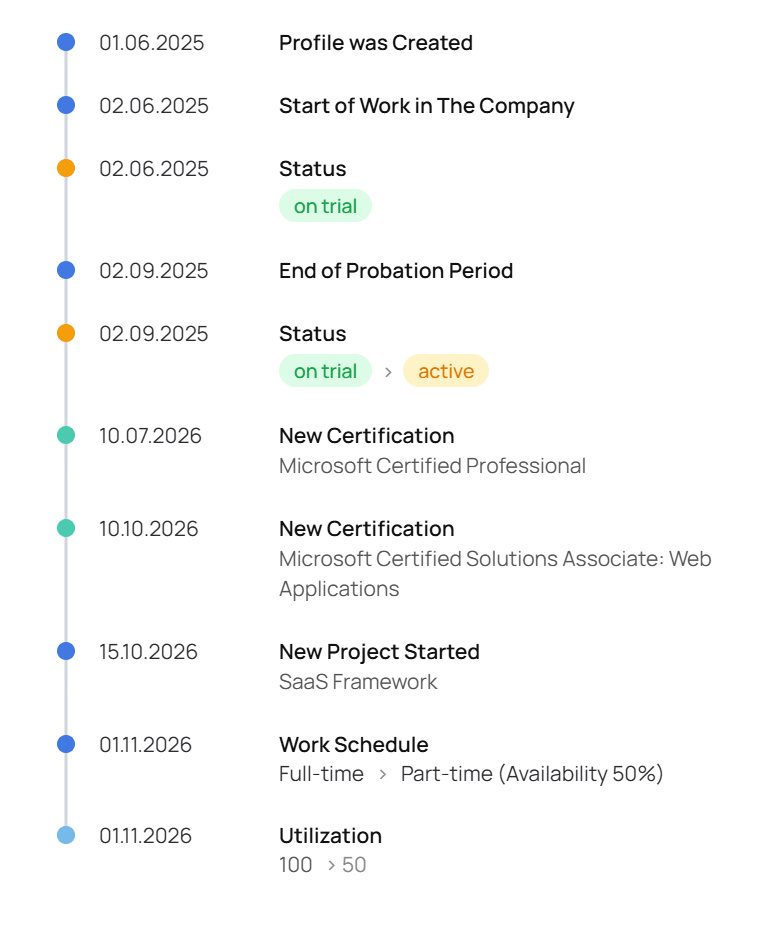
The History component in SSA UI kit is designed to bring these events together in a chronological timeline.
History is used in SSA PeopleOps Suite to provide a structured view of events throughout the employee lifecycle.
A timeline can include events such as:
Profile created → Start of work → End of probation period → Status change → New certification → New project → Work schedule change
Instead of distributing this information across separate fields or records, History makes it possible to see how an employee profile has evolved over time.
This provides additional context when reviewing project assignments, certifications, status changes, work schedules, and other events associated with an employee.
Working with individual employee data is only one level of an HR system. HR teams also need to understand what is happening across the organization.
At the organizational level, a React data dashboard can bring together workforce metrics and trends that would otherwise remain distributed across different parts of the system.
Headcount, staff growth, employee distribution, competencies, and other workforce metrics become easier to interpret when they are presented visually rather than as isolated numbers.
SSA UI kit includes a range of data visualization components for building these interfaces, including Big Number Chart, Pie Chart, Radar Chart, and other chart components.
Each visualization can represent a particular metric, trend, or distribution. Combined within a React JS dashboard, these components can turn individual metrics, trends, and distributions into a consistent visual interface.
The example below shows how SSA UI kit components can be combined into an HR dashboard covering workforce metrics, employee distribution, events, and organizational data.
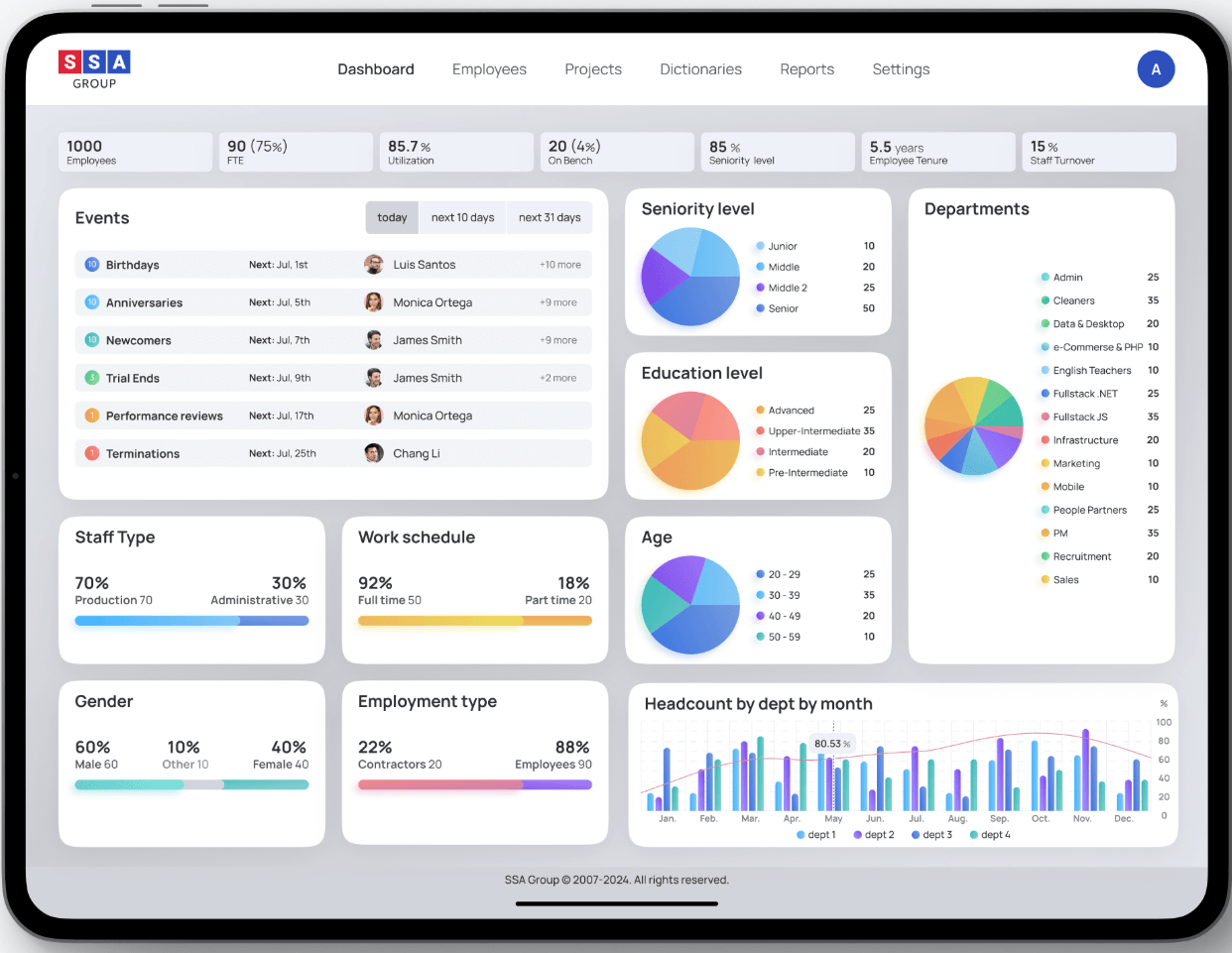
In SSA PeopleOps Suite, data visualization is used in the Dashboard & Analytics module to provide an organization-level view of HR data and key metrics.
The video below shows how analytics are presented within the product:
Search, competency visualization, employee history, and analytics solve different interface problems.
Together, they support a connected sequence of HR tasks:
Find → Understand → Follow → Analyze
Users can find relevant people within large employee datasets, understand their competencies, follow changes throughout the employee lifecycle, and analyze workforce data at the organizational level.
SSA PeopleOps Suite demonstrates how the same UI foundation can support these different workflows within a single HR product.
As HR products become more data-driven, their interfaces need to handle more than forms, tables, and employee records.
They need to make complex information searchable, comparable, contextual, and easier to understand.
SSA UI kit provides reusable React components for building complex, data-driven interfaces.
These components can be combined within a React-based dashboard while remaining adaptable to the specific data and workflows of an HR product.
While this article focuses on HR, the same reusable foundation can support very different workflows in other data-driven products, with components taking on different roles depending on the data and business scenario.
Building a data-driven HR product or another complex React application?
Explore SSA UI kit to see the available components, examples, and documentation, or take a closer look at SSA PeopleOps Suite to see how the UI kit works within a real HR product.
Explore SSA UI kit →
https://uikit.ssa.group/
Discover SSA PeopleOps Suite →
https://www.ssa.group/ssa-peopleops-suite-human-resource-management-system/
If you’re planning a complex React application and need help choosing or implementing the right UI components, contact us to discuss your requirements.
SSA UI kit continues to evolve with a focus on solving real product challenges—not only by expanding the component library, but also by improving developer experience.
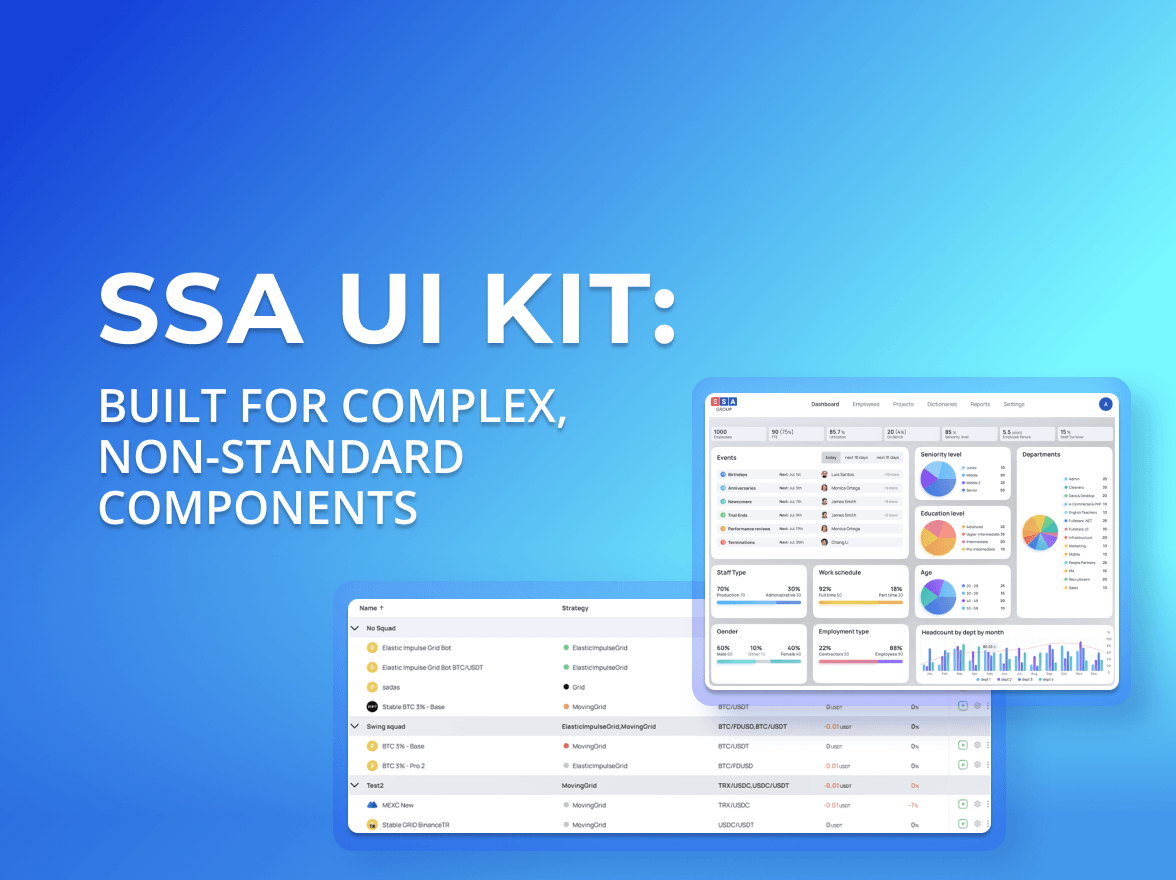
When people hear “UI kit”, they usually think of buttons, inputs, modals. A standard set of building blocks that exists in almost every design system and is often used to create a React JS dashboard or other typical interfaces.
you're currently offline