SSA UI kit continues to evolve alongside our products, adapting to the growing complexity of real-world, data-driven interfaces and modern React JS dashboards.
Over the past months, we focused on balancing consistency across projects, actively using the component library in our own products to ensure a unified experience while keeping it flexible for customization. Alongside that, we’ve introduced new components to support more real-world scenarios.
Here’s what has changed.
Design system evolution: Component variants palette
One of the biggest updates is the introduction of a unified color system at the library level.
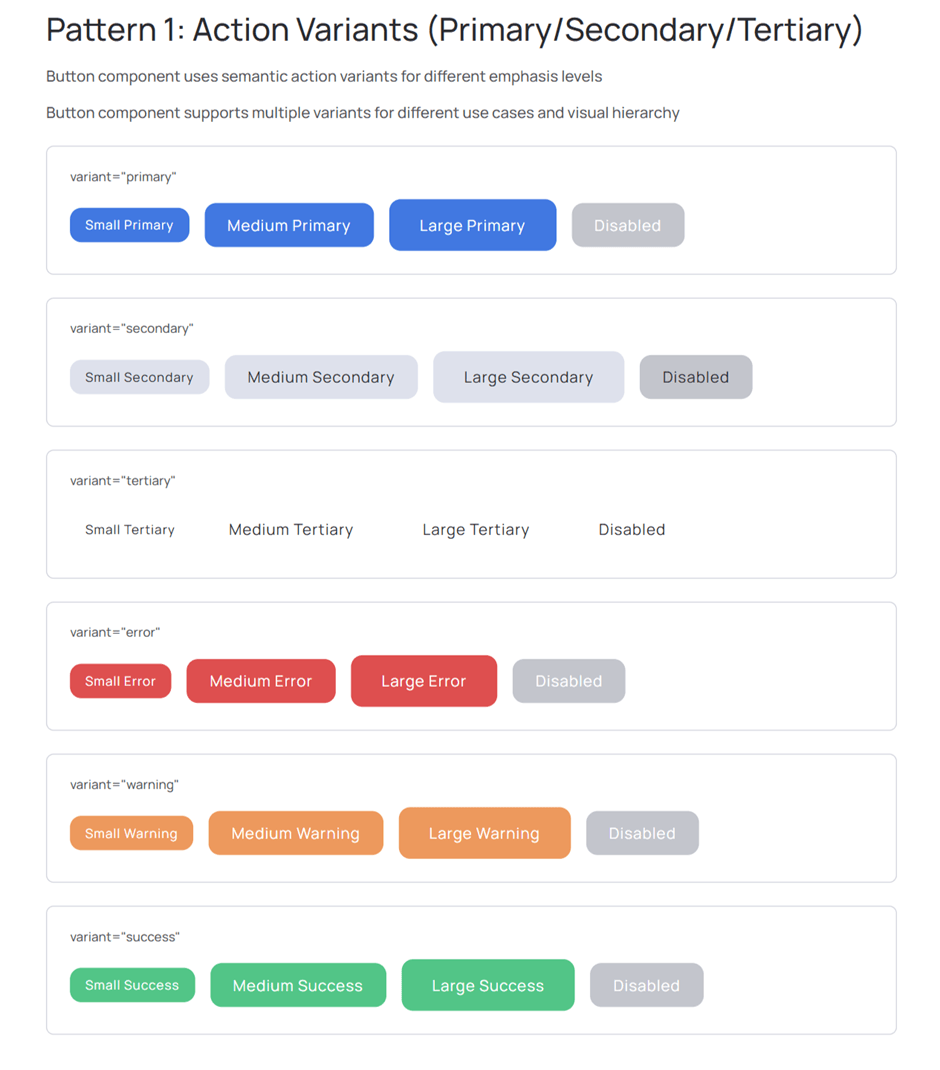
Below is an example of how the Component Variants Palette is applied across different component states and sizes:
We’ve implemented a Component Variants Palette, which standardizes how colors are defined and used across all components.
The palette now includes:
primary, secondary, and tertiary colors
semantic states: error, warning, success
extended color shades accessible by name instead of raw color codes
This allows teams to work with consistent visual language without manually managing color values, while SSA UI kit supports scalable admin interfaces and React dashboard UI applications.
Built-in support in components
The palette is fully integrated into core components where it matters most:
buttons
checkboxes
radio buttons
switches
chips
date pickers and date range pickers
pagination
It continues to expand across other components where relevant.
This makes it possible to apply semantic and brand colors directly, reducing the need for custom styling and ensuring consistency across the interface.
Theming and typography
We’ve also introduced documentation that explains how to:
customize themes using the palette
manage and extend color variants
correctly configure typography within the system
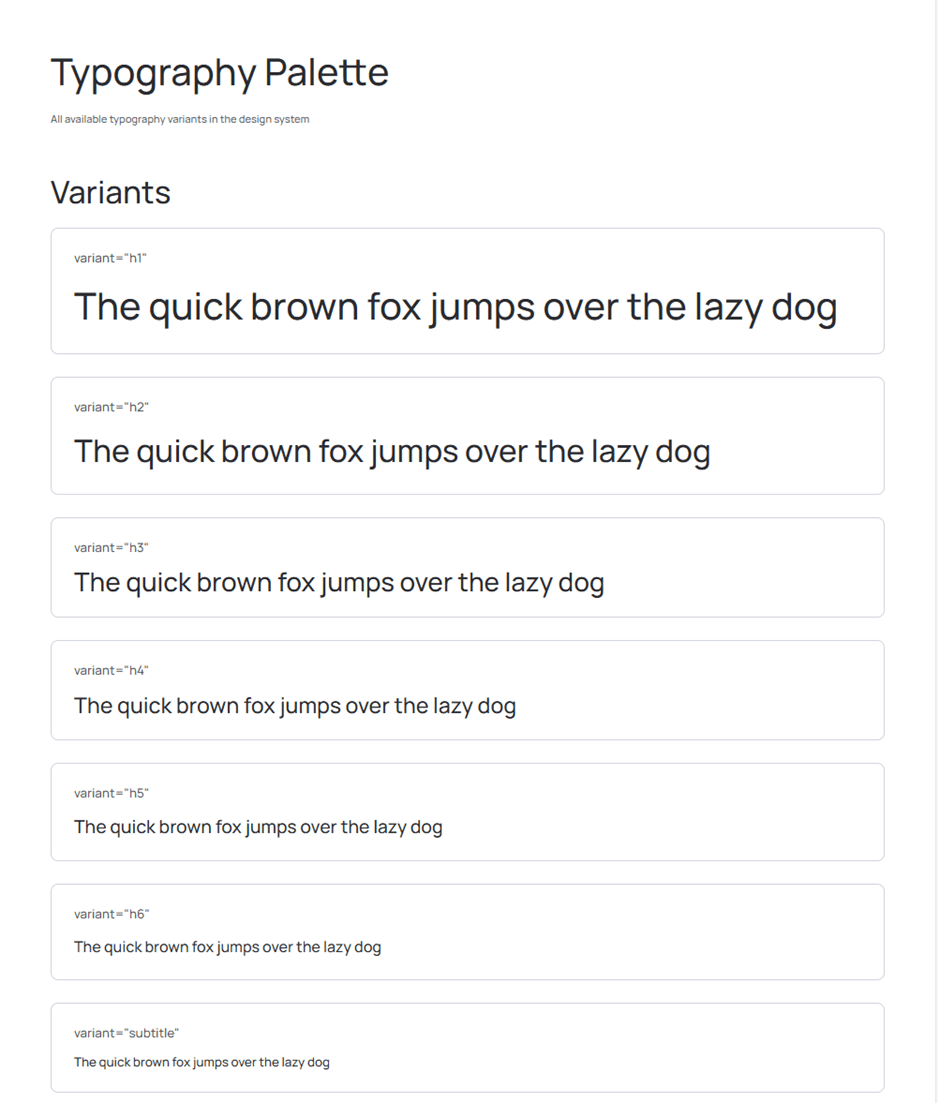
Typography now follows the same structured approach as colors — controlled, scalable, and consistent across projects.
This ensures consistent typography across products while allowing controlled customization through predefined variants.
New components
We extend the library with a flexible set of React admin UI kitcomponents for building modern dashboards and data-driven interfaces:
Slider
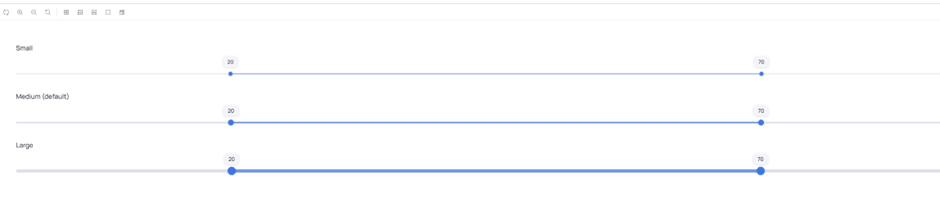
A new Slider component has been added to handle value ranges across different scenarios.
It supports:
simple range selection
advanced variants with manual input
multiple sizes
built-in primary color styling
The examples below show how the slider adapts to different use cases, from simple ranges to inputs with manual value control.
The component is designed to work both as a lightweight control and as part of more complex data input flows.
Icon Button
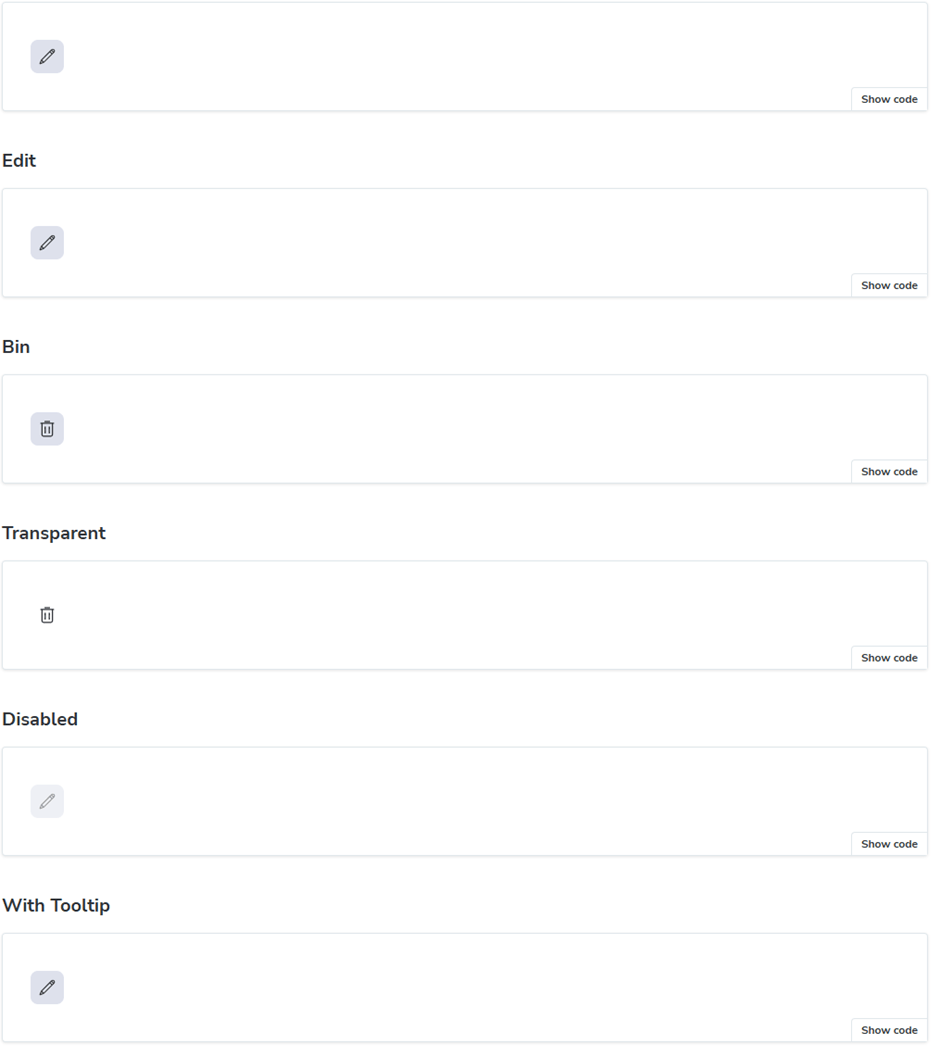
The Icon Button is a compact icon-only button designed for space-constrained interfaces. It allows users to perform actions quickly without adding visual clutter, making it ideal for toolbars and dense dashboards.
The configuration options allow flexible control over behavior and styling, making the component adaptable to different UI scenarios.
It integrates directly with the icon library, allowing any icon to be used without additional setup.
The examples show different configuration states, including default, disabled, and tooltip-enabled variants.
Typical use cases include:
action-heavy toolbars
compact UI areas
dense dashboard layouts
History
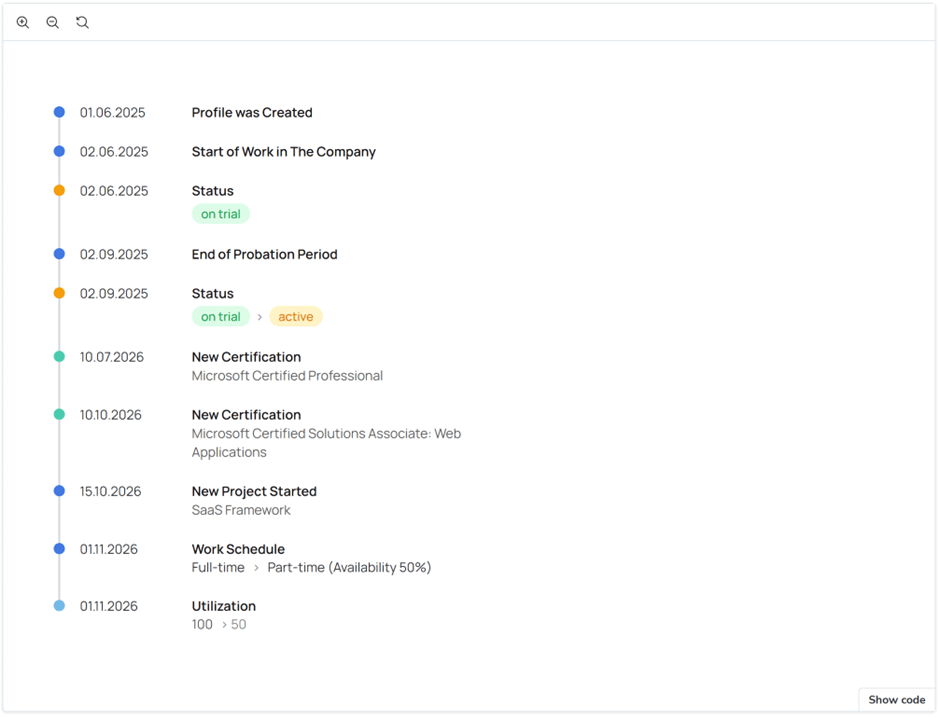
The History component is designed to visualize timelines within a project.
It accepts structured data such as:
dates
descriptions
color indicators
and renders a clear timeline view.
The example below illustrates how timeline data is visually structured and presented within the component.
It is particularly useful for:
tracking user activity
visualizing project events
representing workflows over time
Real-world usage
SSA UI kit components are actively used in our own products to solve real interface challenges.
For example:
History is used to track user activity and project events over time
Slider helps configure dynamic parameters in dashboards
Icon Button is used in dense toolbars where space is limited
These components are designed not as isolated UI elements, but as building blocks for real product scenarios.
Continuous improvements
In addition to new components, we continue improving existing ones — refining behavior, enhancing consistency, and adapting them to real product needs.
SSA UI kit is not static. It evolves together with the products it supports.
Learn more about the library and explore how to build dashboards with React using reusable UI components in modern React applications.
What’s next
We’re actively working on expanding the component set and improving the system further.
More components and deeper customization capabilities are already in progress.
Stay tuned.
Get involved
Need a dashboard for your product or want to contribute to the library?
Write to us — we’re open to cooperation and feedback.
share the article
00votes
Article Rating
Subscribe
To comment, please log in with your Facebook or LinkedIn social account
Modern HR systems manage much more than employee records.
They bring together skills, experience, roles, projects, certifications, performance data, and other information that changes throughout the employee lifecycle.
SSA UI kit continues to evolve with a focus on solving real product challenges—not only by expanding the component library, but also by improving developer experience.
We use cookies to ensure that we provide you the best experience on our website. If you continue to use this site we assume that you accept that. Please see our Privacy policyConfirm